clapgeek logo

Refer to the exhibit.
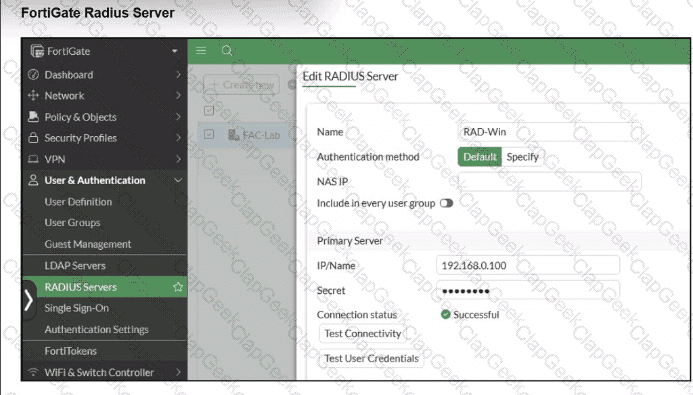

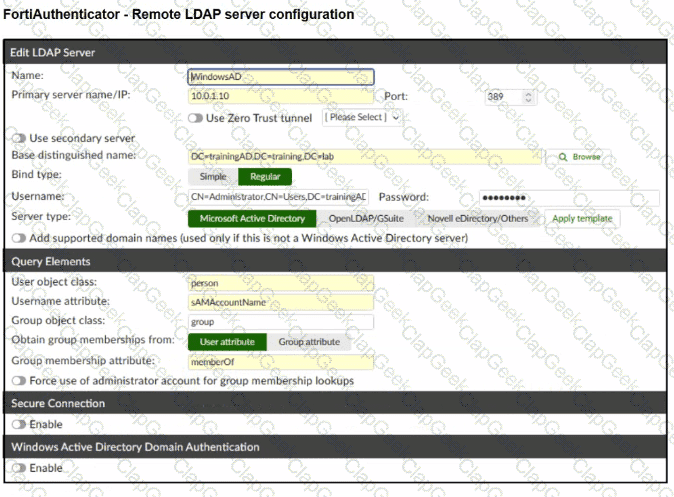
A RADIUS server has been successfully configured on FortiGate, which sends RADIUS authentication requests to FortiAuthenticator. FortiAuthenticator, in turn, relays the authentication using LDAP to a Windows Active Directory server.
It was reported that wireless users are unable to authenticate successfully.
The FortiGate configuration confirms that it can connect to the RADIUS server without issues.
While testing authentication on FortiGate using the command diagnose test authserver radius, it was observed that authentication succeeds with PAP but fails with MSCHAPv2.
Additionally, the Remote LDAP Server configuration on FortiAuthenticator was reviewed.
Which configuration change might resolve this issue?
Which statement about generating a certificate signing request (CSR) for a CER certificate is true?
Refer to the exhibits to analyze a network topology and SSID settings.
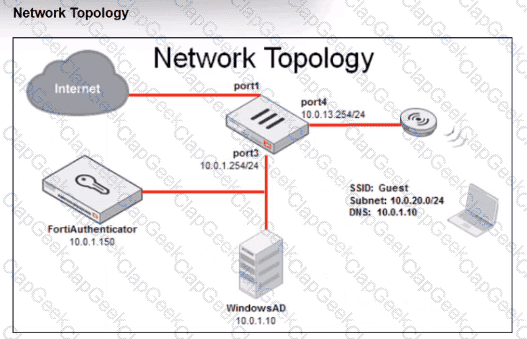
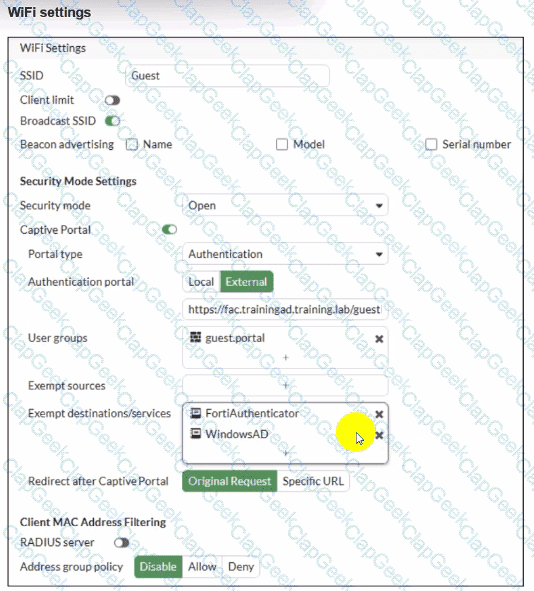
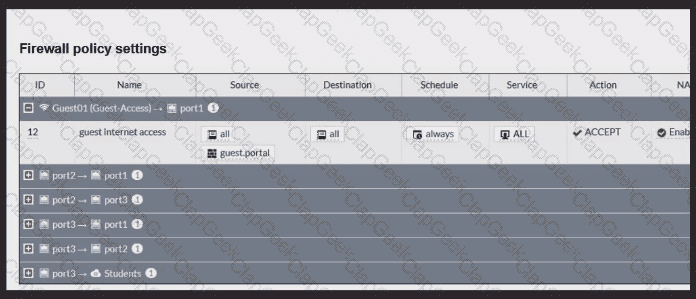
FortiGate is configured to use an external captive portal for authentication to grant access to a wireless network. Testing detected that users attempting to access the SSID are not able to access the captive portal login page. Which configuration change should fix this issue?
Refer to the exhibits.
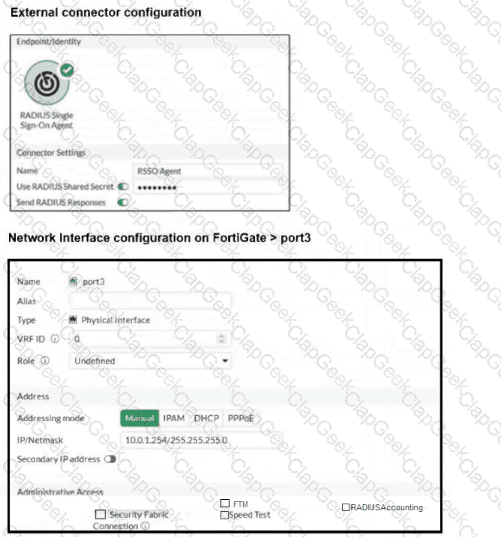
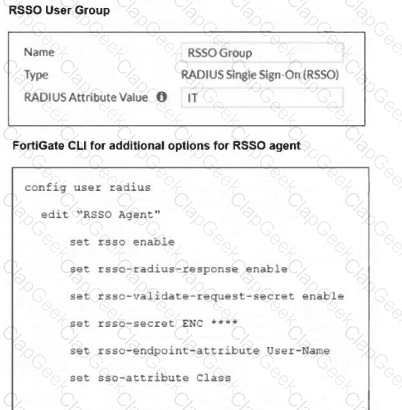
You have configured RADIUS single sign-on (RSSO) on a FortiGate device, ensuring that all settings are correct and the integration with the RADIUS server is correctly established. Communication between FortiGate and the RADIUS server is happening through port3. After testing, you notice that while user authentication and RSSO activity are functioning as expected, the RADIUS server does not display session logs or detailed usage information. What is the most likely reason for this issue?
Refer to the exhibit.
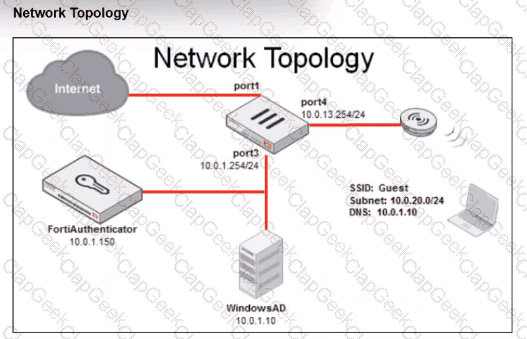
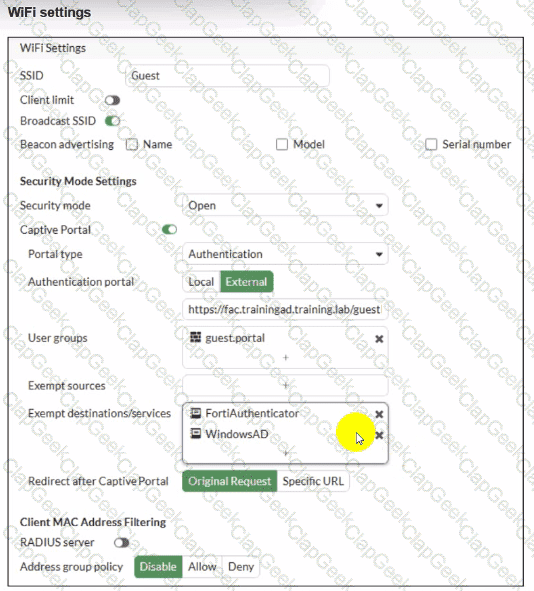
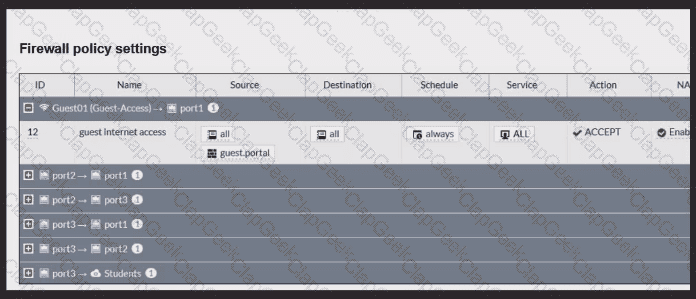
Review the exhibits to analyze the network topology, SSID settings, and firewall policies.
FortiGate is configured to use an external captive portal for authentication to grant access to a wireless network. During testing, it was found that users attempting to connect to the SSID cannot access the captive portal login page.
What configuration change should be made to resolve this issue to allow users to access the captive portal?
When the MAC address of a device is placed in quarantine on FortiSwitch, what happens to its egress traffic?
You are configuring FortiAuthenticator to integrate with FSSO for user identification. To enable FortiAuthenticator to extract user information from syslog messages and inject it into FSSO, you have configured syslog matching rules.
What is the role of syslog matching rules in the process of injecting user information into FSSO?
In addition to requiring a FortiAnalyzer device to configure the Security Fabric, which license must be added to FortiAnalyzer to use Indicators of Compromise (IOC) rules?
Refer to the exhibits.
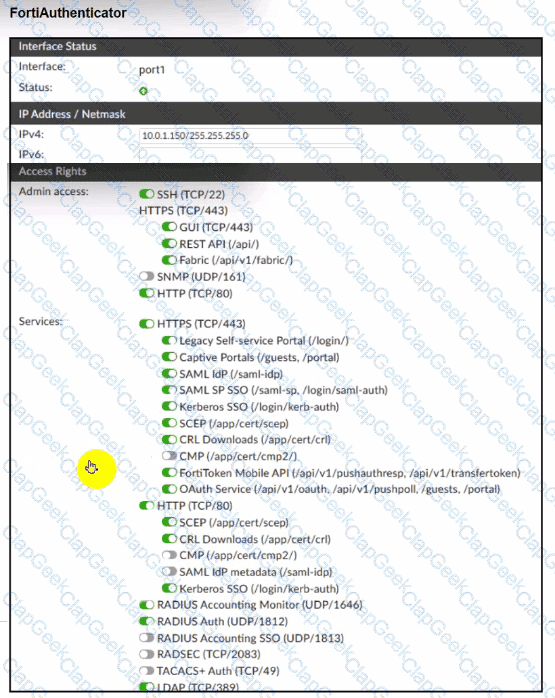
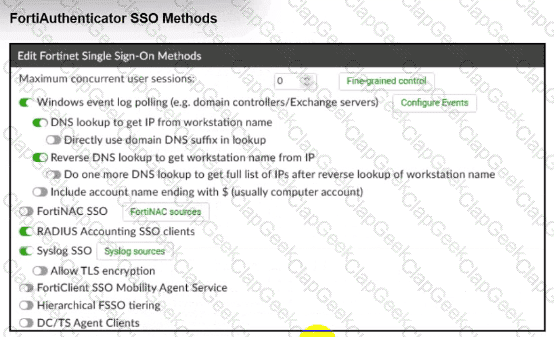
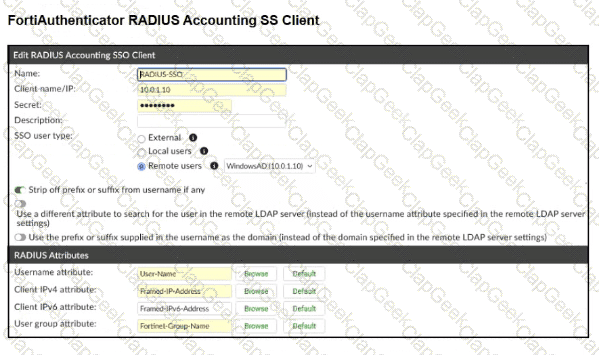
A company has multiple FortiGate devices deployed and wants to centralize user authentication and authorization. The administrator decides to use FortiAuthenticator to convert RSSO messages to FSSO, allowing all FortiGate devices to receive user authentication updates.
After configuring FortiAuthenticator to receive RADIUS accounting messages, users can authenticate, but FortiGate does not enforce the correct policies based on user groups. Upon investigation, the administrator discovers that FortiAuthenticator is receiving RADIUS accounting messages from the RADIUS server and successfully queries LDAP for user group information. But, FSSO updates are not being sent to FortiGate devices and FortiGate firewall policies based on FSSO user groups are not being applied.
What is the most likely reason FortiGate is not receiving FSSO updates?
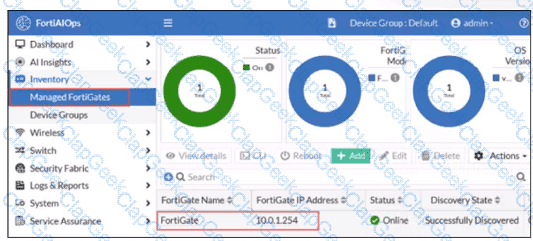
FortiGate has been added to FortiAIOps for management.
Which step must be performed on FortiAIOps to add a FortiSwitch device connected to the recently added FortiGate?
Refer to the exhibits.
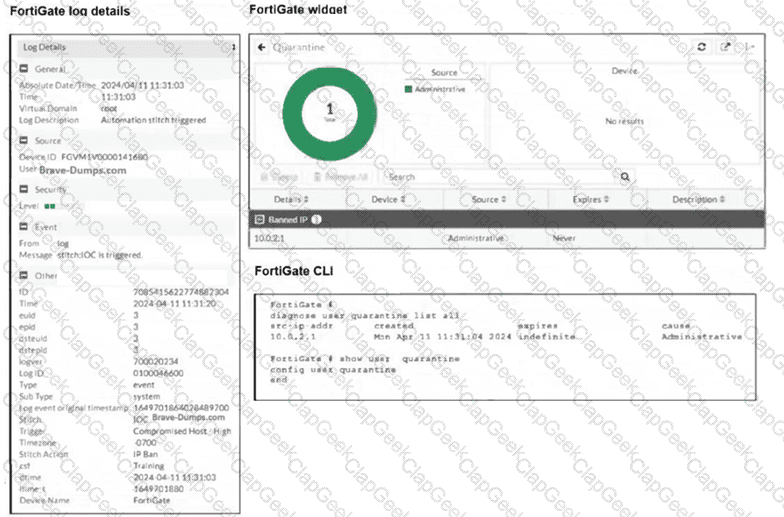
The exhibits show the FortiGate logs, widget, and CLI. Security Fabric quarantine automation is being tested using a device with the IP address 10.0.2.1, which is connected to a managed FortiSwitch. Shortly after attempting to access a malicious website, the device loses access to the internet and other VLANs within the network. However, it can still communicate with other devices within the same VLAN. Which configuration change is required to fix the issue?




TESTED 04 Oct 2026